Schedule the right video. Know exactly what happens next.
Move approved original or dubbed videos to YouTube, TikTok, Instagram, and Facebook with clear destination details, local time, queue status, and recovery when publishing needs attention.
Nothing enters the publishing queue before review and confirmation.
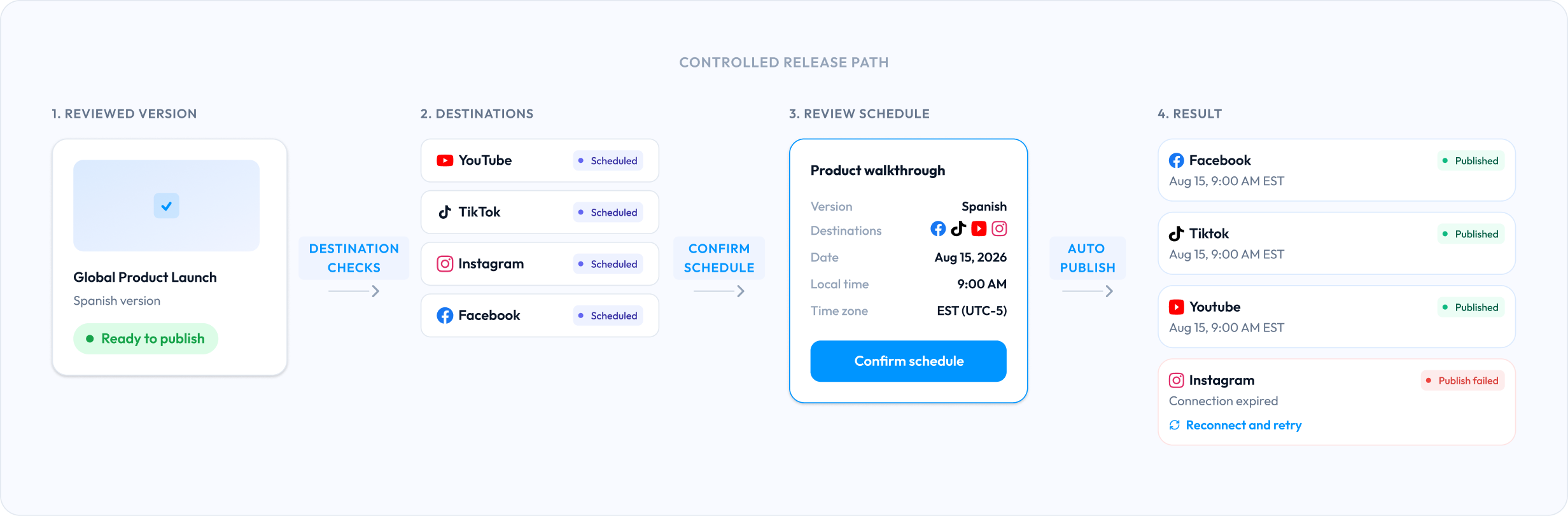
Start from the approved version
Choose an original or dubbed video that is explicitly ready to publish, without searching folders for the final export.
Confirm before it enters the queue
Review destinations, publishing details, local time, time zone, and account readiness in one clear summary.
See the real outcome
Distinguish scheduled intent from publishing progress, success, and a failure that still needs action.
The video is ready. The publishing handoff is not.
The last mile becomes its own manual workflow when versions, platform details, time zones, queue state, and failures are spread across separate tabs.
Publishing across disconnected tools
One controlled VoiceGo release path
From ready to publish to a result you can verify
Five visible steps keep the correct video, destination requirements, confirmation, queue, and outcome connected.
Choose the version
Select an original or reviewed dubbed video in 'Ready to publish'.
Prepare destinations
Choose YouTube, TikTok, Instagram, or Facebook and check account readiness.


Review publishing details
Confirm title, thumbnail, subtitles, media requirements, date, local time, and time zone.
Publish now or schedule
Explicitly confirm the action before the item enters publishing or the future queue.
Follow the result
See publishing progress, a successful record, or failure context with an available recovery action.
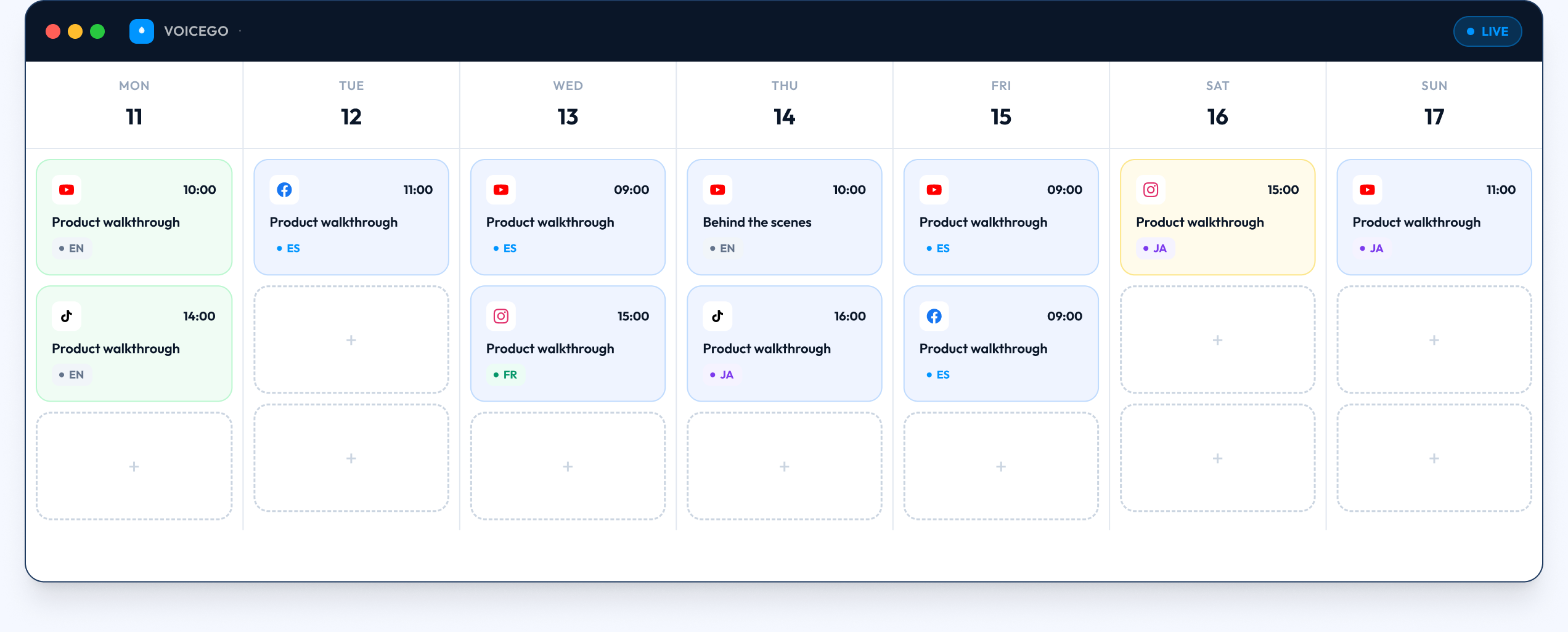
Your full publishing week, at a glance.
Every scheduled release stays connected to its language version, destination, and status. Nothing slips through without a visible state.
Common questions
Your approved video is ready. Make publishing just as clear.
Prepare supported destinations, confirm the release, and follow every scheduled or published result from one connected VoiceGo workflow.